"PG&E" refers to Pacific Gas and Electric Company, a subsidiary of PG&E Corporation. © 2026 Pacific Gas and Electric Company. All rights reserved.

As a part of our continued efforts to improve your user experience, we are excited to announce some new changes to INSIDEtracc which include a new URL, an improved user interface and enhanced accessibility compatibility.
The following changes will be available starting Friday, April 17, 2026:
The INSIDEtracc URL has been updated: https://gts.pge.com/gts
INSIDEtracc will continue to be accessible via Pipe Ranger. However, if you have the INSIDEtracc URL bookmarked, please update that bookmark with the URL above.
Deployment of these features will mean that INSIDEtracc will be down and inaccessible on Thursday, April 16, 2026, starting at 9:00pm PDT. Users are expected to be able to log back in after 12:00am PDT on Friday, April 17, 2026. We also recommend all INSIDEtracc users to clear their browser cache prior to logging back into the updated system. This should help avoid any login or system issues. If you experience any problems, don't hesitate to reach out to the Scheduling or Account Management team to help troubleshoot.
INSIDEtracc screens are now ADA‑compliant, conforming to WCAG 2.1 Level AA accessibility standards. For more details on ADA compliance, please refer to https://www.ada.gov/
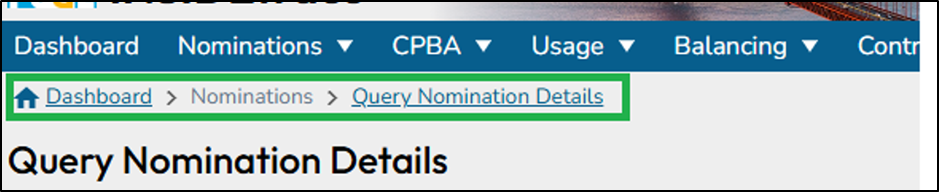
Breadcrumbs have been added at the top of each page to improve navigation and help users easily track their location within the application.
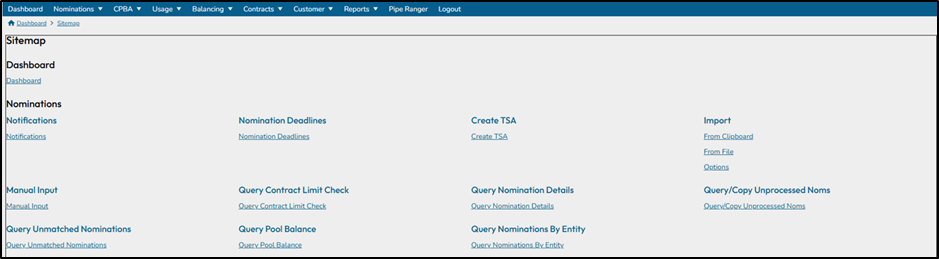
A functional Sitemap is now available and can be accessed from the bottom of each page.

The Sitemap provides direct links to application pages. Users can use these links to navigate directly to a specific page.
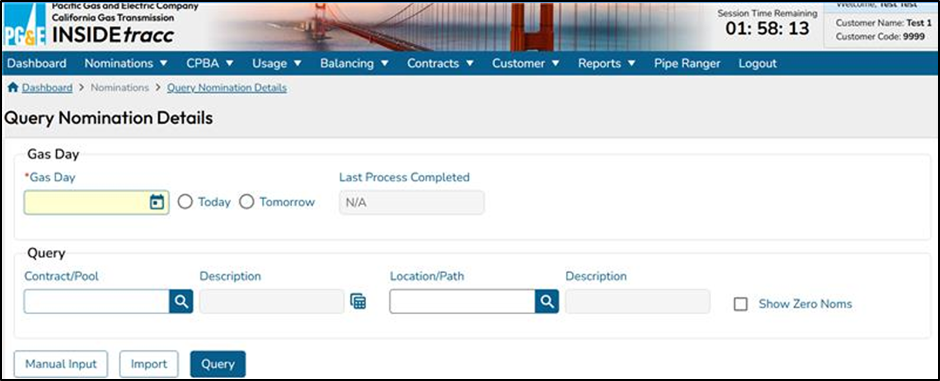
Action buttons have been standardized and color-coded to improve usability and visual consistency across the application:
Indicates the main action on the page (e.g., Submit, Query).
Used for supporting or optional actions.
Indicates actions that are currently unavailable.
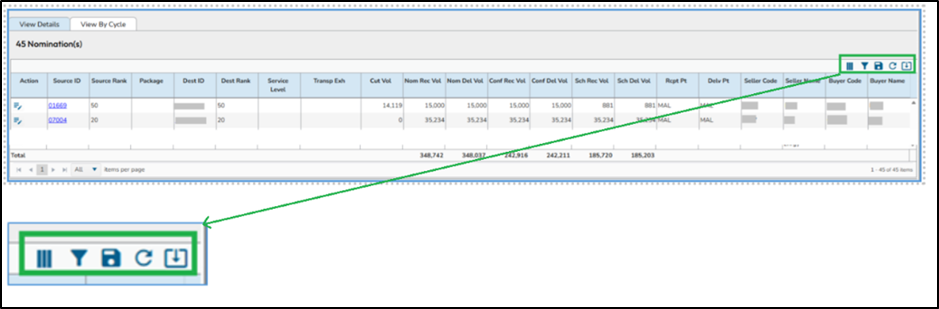
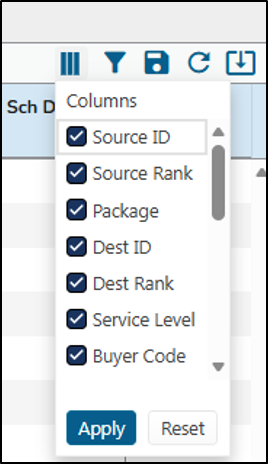
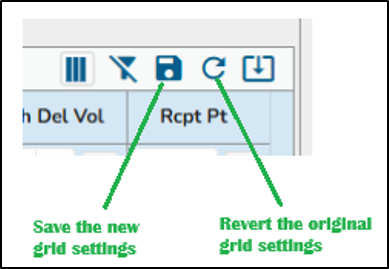
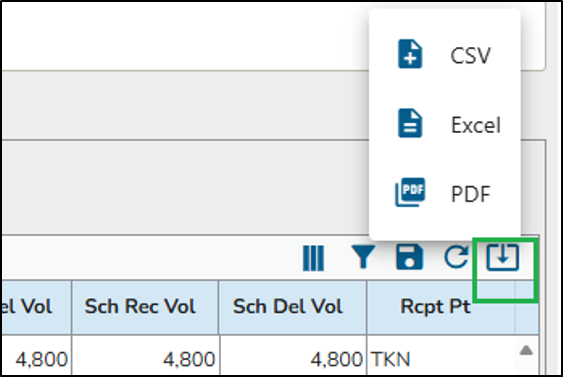
Query results are now displayed using an updated table user interface, which provides enhanced functionality and optional features accessible from the top right corner of the table.
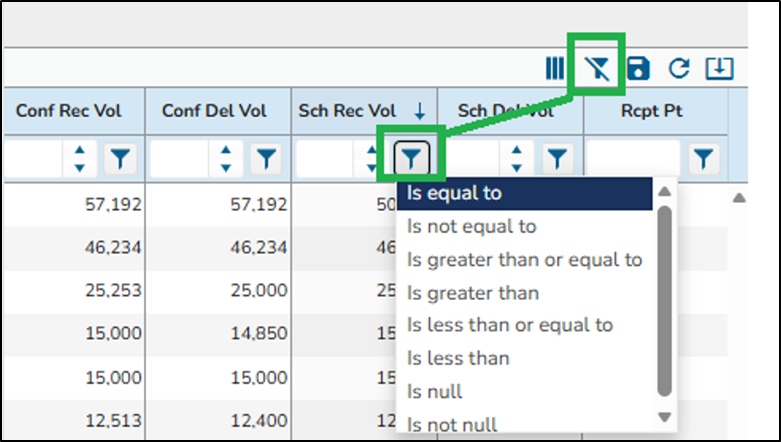
Note - To avoid any errors, please ensure that filters have been cleared after each query.
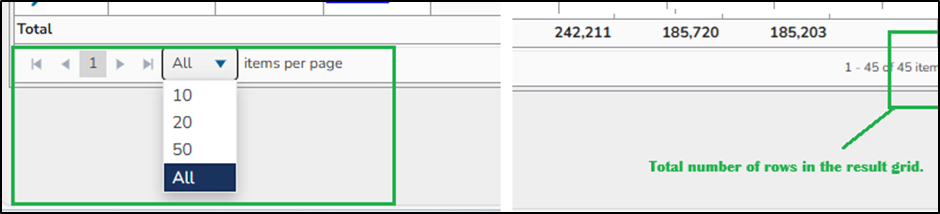
The Export option has been relocated from the bottom of the page to the top right corner of the updated table user interface.
The updated table now includes clickable contract hyperlinks to enable easier navigation and faster access to related data.
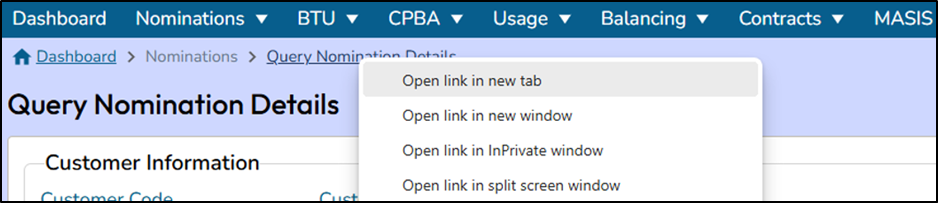
Until the next INSIDEtracc release, right‑clicking on a sub‑menu will not show the option to open it in a new tab. If a user would like to work with multiple tabs, they will need to copy and paste the related sub-menu's URL into a new tab to open it.
As a workaround to this, you can right-click the breadcrumb and open that in a new tab instead of copying and pasting the entire sub-menu's URL.
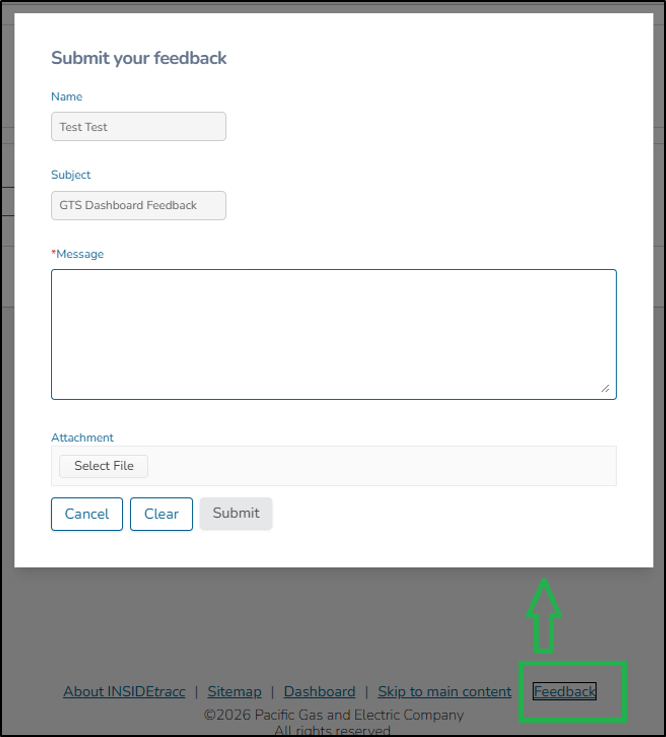
Your feedback is important to us.